
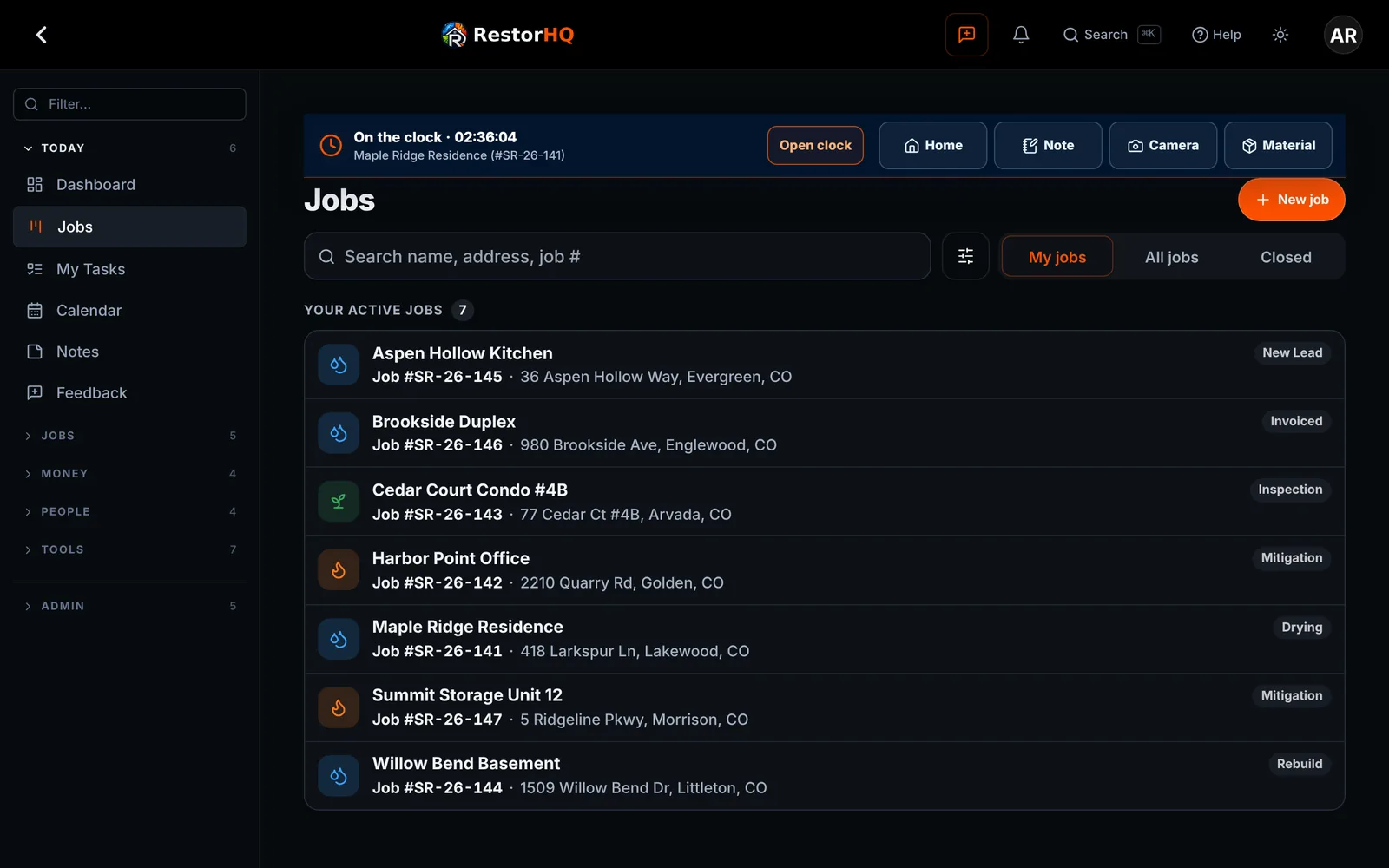
Every job, its stage, and who's on it.
One job record holds the photos, notes, files, diagrams, equipment, and money. Crews add to it from the field, and the office sees it right away.
Built for the field
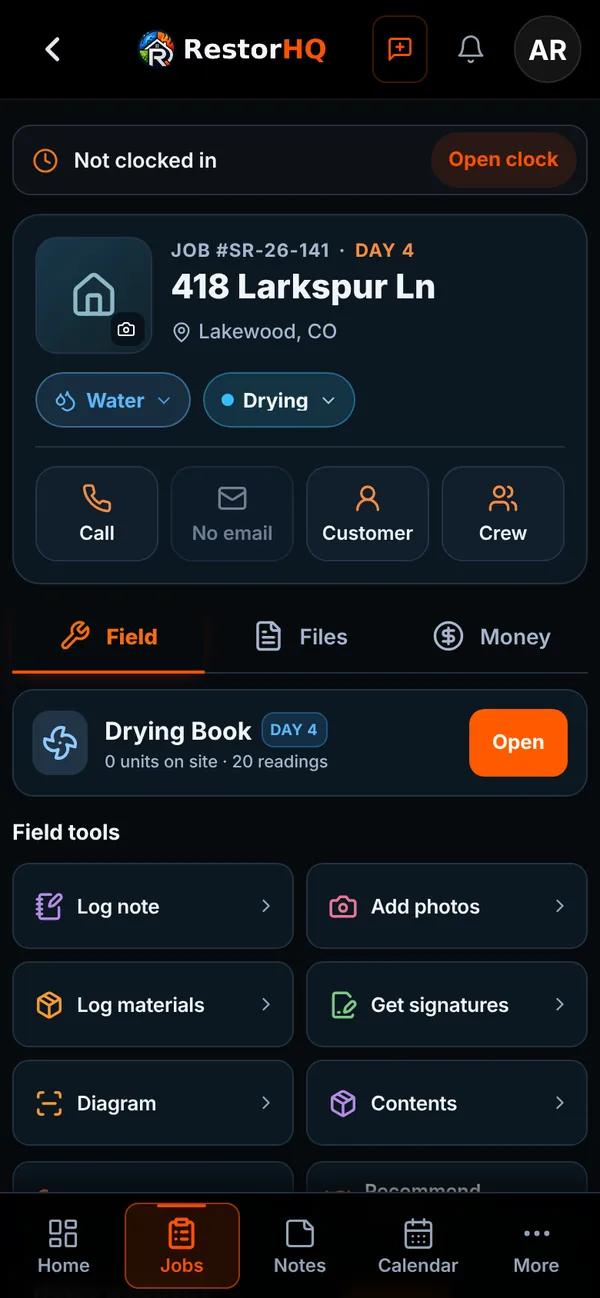
A compact jobs list and job pages designed for phones first.
- Loss types and subtypes, including Water Category 1, 2, and 3
- Address search and property autofill when you create a job
- Job camera for before, during, and after photos, organized by room and day
- Photos, notes, and clock punches saved offline and synced when you're back online
- Floor plan diagrams that work on phones, with rooms that snap into place
- Call and Email buttons on every tab of the job
The rest of the job
What the office needs to close it out.
Job costing
The budget comes from the approved estimate. Labor from the time clock and logged materials show a live margin.
Equipment
Scan equipment barcodes, move units between rooms and jobs, and see what's on each job. Track gear issued to employees with signed receipts.
Shop stock
Stock counts with low-stock alerts and automatic deductions for each job.
Project files
Folders for each job, drag and drop uploads, and automatic organization.
Customer portal
A private, branded link where homeowners follow progress, photos, signed documents, and invoices.
Mileage and fuel
Fuel cost for each job, estimated from drive mileage and your company's gas and diesel prices.
From the office
The same jobs, on a bigger screen.
See it on your next job.
RestorHQ is in private beta. We're onboarding restoration companies in small batches.